Creating an intuitive and secure login screen is crucial for user retention and trust. A well-designed login interface not only makes authentication seamless but also strengthens user confidence in your application. To understand effective design approaches, you can explore examples of login page design that showcase best practices in the industry.
Modern login screens must serve a dual purpose: providing a convenient gateway for users while serving as the first line of defense against unauthorized access. The elements you include and the way users move through the process both play significant roles in whether your platform feels approachable or intimidating.
Simplicity should be a primary goal, but so should inclusivity and mobile-friendliness. As more users shift to different devices, adaptability is an expectation. Simultaneously, robust feedback systems and adaptable login options ensure that all users, regardless of background or access method, can enter smoothly and securely.
Security considerations must always be at the forefront. Today, it is not enough to rely solely on passwords; multi-factor authentication and biometric options are becoming standard. Careful attention to speed and constant testing for usability ensures that no friction disrupts the process.
Prioritize Simplicity and Clarity
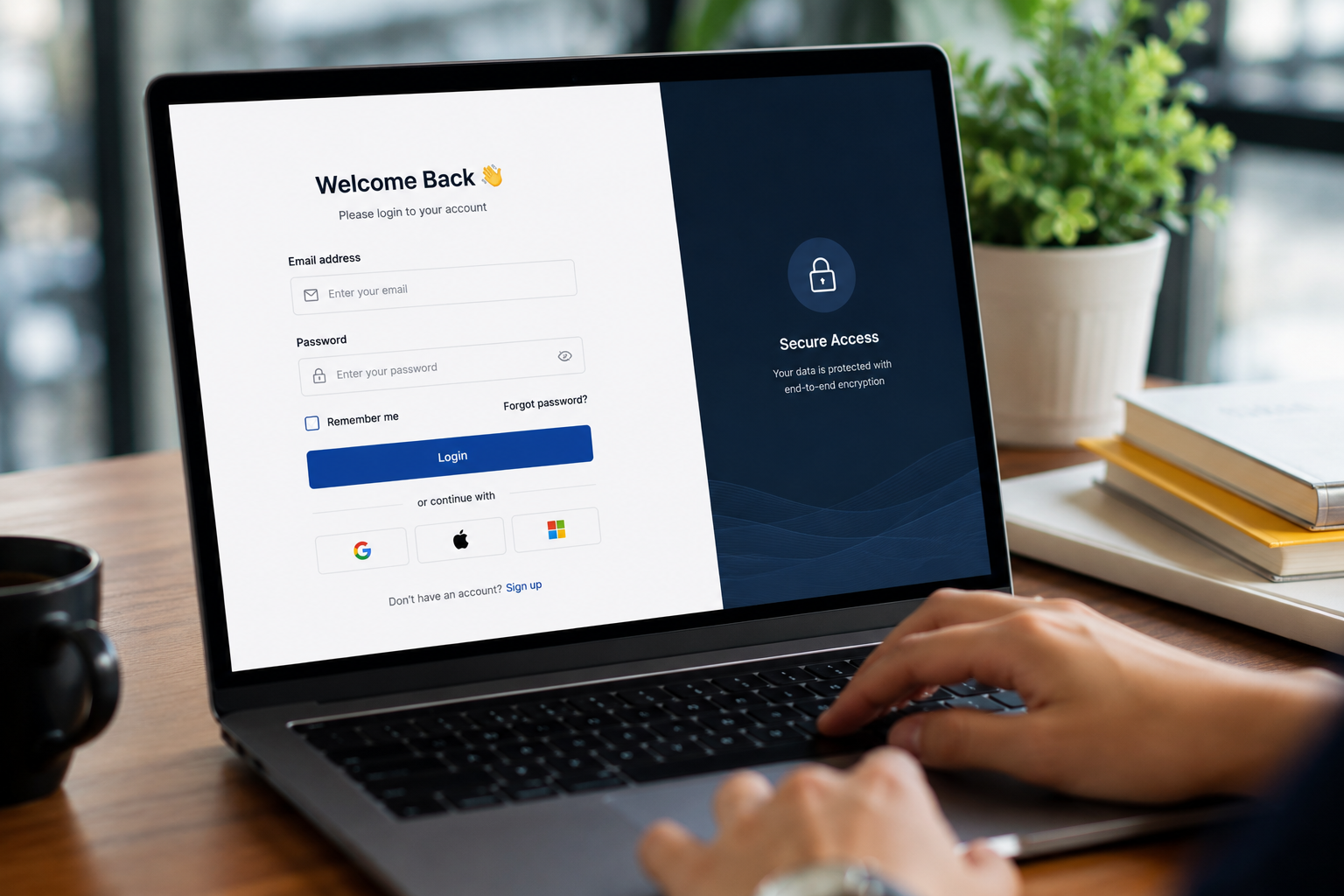
A streamlined login page should focus on only the essential elements: a field for the username or email, a password field, and a clearly labeled login button. Avoid cluttering the interface with unnecessary graphics or extraneous options, as these can distract or confuse users. Clear labeling and minimalist layouts help users quickly and efficiently navigate the authentication process, which is why so many leading platforms maintain a straightforward approach. Minimalism not only enhances usability but also supports accessibility for diverse users.
Maintain Consistency Across the Interface
Design consistency instills confidence. Maintaining the same color palettes, button style, font choices, and error indicators throughout the entire application assures users that they remain in the right place. Familiarity with interface elements reduces the risk of abandonment, as users do not have to re-learn navigation or second-guess the process. Consistency also improves overall accessibility and digital inclusivity.
Implement Responsive Design
People use a wide variety of devices to access applications, including desktops, tablets, and smartphones. Login forms must scale and adapt to different screens without breaking functionality or readability. Using responsive frameworks and flexible layouts ensures a good experience across devices. This also helps prepare your service for users who rely entirely on mobile access.
Provide Clear Feedback and Error Messages
Immediate visual cues help guide users through the login process. If an error occurs, such as an incorrect password or missing field, the interface should clearly indicate the specific field and provide a succinct, informative error message (e.g., “Incorrect password. Please try again.”). Avoid technical jargon and vague prompts, as these can cause frustration or confusion. Real-time form validation, progress indicators, and success confirmations all contribute to a smoother experience.
Incorporate Security Measures Without Compromising Usability
Security best practices should be balanced with ease of use. Two-factor authentication (2FA), CAPTCHA technology, and encryption are essential to protecting user data. However, implementing these tools should not deter legitimate users from accessing their accounts. Options such as saving trusted devices or using biometric authentication help keep the process secure while minimizing added friction. Balancing these needs requires thoughtful design and regular reviews to ensure ongoing effectiveness and user satisfaction.
Offer Multiple Login Methods
Flexibility in authentication methods can significantly enhance user convenience. Integrate options such as single sign-on (SSO) with popular providers like Google or Apple, as well as biometric authentication, such as fingerprint or facial recognition. These additional choices benefit users who prefer passwordless or alternative access methodologies and can elevate engagement rates, especially on mobile platforms. According to CNET, offering diverse sign-in options also reduces password fatigue and can improve overall security.
Optimize for Speed and Performance
Loading times play a pivotal role in how the service is perceived psychologically. Slow login pages may cause users to abandon the process completely. Optimize all elements, from image sizes to background APIs, to reduce loading times and improve responsiveness. Code minification and the use of content delivery networks (CDNs) are proven strategies to keep the login experience swift and user-friendly.
Conduct Regular User Testing
Regular user feedback helps identify pain points, accessibility issues, and interface vulnerabilities. Conduct usability testing to observe interactions and gather input. Use A/B testing on layouts and error messages to find effective changes. Improve iteratively based on user behavior and security threats. Following these guidelines allows designers to create login screens that are simple, inclusive, efficient, and secure, strengthening user relationships and reducing access barriers.
Conclusion
An effective login interface combines simplicity, consistency, responsiveness, and security to create a seamless user experience. By continuously refining design through user feedback, performance optimization, and evolving authentication practices, organizations can improve accessibility, strengthen user trust, and provide secure, efficient access that supports long-term engagement with their digital products and services.